

eSIM on iPhone 17: The 2026 Advantage
The iPhone 17, as we anticipate its release, is expected to solidify Apple's commitment to the eSIM-only design, especially for models sold in certain regions. This isn't just a convenience; it's a fundamental shift in how we interact with mobile networks. For a telecom engineer, this means a more robust, digitally managed subscriber identity module, moving away from physical plastic cards that can be lost, damaged, or are simply a logistical hassle for travelers. The real advantage lies in the instant provisioning and flexibility it offers, allowing you to switch carriers or add a local data plan without hunting down a street vendor or dealing with language barriers.
Think about the traditional SIM card: a tiny piece of plastic with an embedded integrated circuit, conforming to the ISO/IEC 7816 standard. While reliable, its physical nature introduces friction. eSIM, or embedded SIM, is a programmable chip directly integrated into your iPhone 17's logic board. It adheres to the GSMA's remote SIM provisioning specification, meaning your carrier profile, including your International Mobile Subscriber Identity (IMSI) and authentication keys, can be downloaded over the air. This capability unlocks significant benefits for frequent travelers, allowing them to procure a local data plan for say, Spain's eSIM Secret: How I Saved €280 on Data in 8 Days (2026) from their hotel room, bypassing the need to find a physical store.
The iPhone 17 is likely to support multiple active eSIM profiles simultaneously, building on the capabilities of previous generations. This feature, known as Dual SIM Dual Standby (DSDS) or potentially Dual eSIM Dual Active (DSEA) with advancements in radio hardware, means you can keep your home number active for calls and texts while using a separate eSIM for data in your travel destination. The key here is managing which profile is designated for cellular data, which is a critical step we'll cover later. This technical flexibility fundamentally changes the economics of international connectivity, often saving travelers significant sums compared to traditional roaming rates, which can easily exceed €18/day in countries like Montenegro.
What is eSIM and Why the iPhone 17 is Primed for It
At its core, an eSIM is a small chip, permanently soldered into your device, that stores your subscriber profile. Unlike a physical SIM, it's rewritable, meaning you can provision new network profiles without swapping hardware. The iPhone 17, with its advanced secure enclave and robust modem architecture, is perfectly poised to leverage this. It's not just about convenience; it's about security. Over-the-air provisioning reduces the risk of SIM swapping fraud, as the authentication process involves cryptographic keys exchanged directly with the carrier's provisioning server.
For the iPhone 17, this means improved integration with iOS, offering a more intuitive user interface for managing cellular plans. Apple has consistently refined the eSIM management experience, and with iOS 18 (the likely operating system for the iPhone 17), we anticipate even smoother transitions between profiles, clearer data usage tracking, and potentially enhanced network selection features. This deep integration allows the device to intelligently manage connectivity, switching between cellular and Wi-Fi to preserve data and optimize performance, a feature particularly useful when trying to conserve data in remote areas or when using a prepaid plan with strict data caps.
Regional eSIM Differences and the iPhone 17's Global Reach
It's important to acknowledge that the iPhone 17's eSIM configuration might vary by region. For instance, US models have been eSIM-only since the iPhone 14, while models sold in other markets, like Europe or Asia, might still include a physical SIM tray alongside eSIM support. This dual capability offers flexibility, but for travelers, the eSIM-only model is increasingly becoming the norm. Regardless of the physical configuration, the process for adding and managing eSIM profiles remains consistent across iOS versions.
The global reach of eSIM also depends on carrier adoption. While major carriers worldwide support eSIM, smaller, regional providers might still rely solely on physical SIMs. However, the travel eSIM market has expanded dramatically, with providers aggregating access to multiple networks in various countries. This means that even if a local carrier doesn't directly offer eSIMs to tourists, a travel eSIM provider often can, leveraging their partnerships to offer connectivity on local bands like LTE B7 (2600 MHz) or 5G n78 (3.5 GHz) in densely populated urban centers, providing excellent speeds for demanding applications like video conferencing or streaming during your trip to Tokyo or London.

Acquiring Your Travel eSIM Plan for 2026
Choosing the right eSIM plan involves more than just looking at the price per gigabyte. You need to consider network coverage, data speeds, and any potential limitations like data throttling or fair usage policies. For 2026, the landscape of travel eSIM providers is robust, offering tailored packages for nearly every country and duration.
When selecting a plan, always check the listed local network partners. A good provider will transparently list which carriers they connect to in a given country. For example, if you're traveling to the UK, an eSIM might connect to Vodafone, O2, or EE. Knowing this allows you to cross-reference with independent coverage maps (like those from OpenSignal or RootMetrics) to ensure you'll have adequate signal strength in the specific areas you plan to visit, whether it's navigating the bustling streets of London or hiking in the Scottish Highlands. The typical speeds on these networks can range from 30-150 Mbps for LTE and 100-500 Mbps for 5G, depending on network congestion and your device's capabilities.
Where to Purchase Your eSIM
The most convenient way to purchase an eSIM is online, directly from a reputable travel eSIM provider. These platforms offer a wide array of regional and global plans. Here’s a general process:
- Visit a reputable eSIM provider's website: Look for clear pricing, detailed coverage information, and transparent terms.
- Select your destination and data package: Choose a plan that matches your travel duration and anticipated data usage. Consider if you need a regional plan (e.g., for Europe) or a country-specific one (e.g., for Thailand's Songkran 2026: Share the Splash with a Reliable eSIM).
- Complete the purchase: Most providers accept major credit cards and other digital payment methods.
- Receive your QR code or activation details: This is typically sent via email immediately after purchase. Keep this email accessible, as you'll need it for the activation process.
It's always a good idea to purchase your eSIM a day or two before your departure. This gives you time to resolve any unexpected issues with customer support before you're in a foreign country and potentially without Wi-Fi.
Choosing the Right Data Plan for Your Needs
Consider your usage patterns. Are you a light user who only needs maps and messaging, or do you stream video and participate in frequent video calls? Remember that while many plans offer 'unlimited' data, there's almost always a fair usage policy that might throttle speeds after a certain threshold (e.g., 20GB at full speed, then reduced to 256 Kbps). Be realistic about your needs to avoid unexpected slowdowns.
Also, look for plans that offer a clear expiry date. Some plans are valid for a set number of days from activation, while others expire on a specific calendar date. If you're on an extended trip or visiting multiple countries, a regional plan (like a Europe-wide eSIM) can be more cost-effective than buying individual country plans, especially if it aggregates access to Tier 1 networks across multiple nations. For those planning a family trip, comparing Roaming vs eSIM: Family Data Costs Across 50 Countries in 2026 can reveal significant savings.
Step-by-Step Activation for iPhone 17: iOS 18 Workflow
Activating an eSIM on your iPhone 17 running iOS 18 is a straightforward process, designed for user convenience. The key is to have your QR code or activation details ready and to be connected to a Wi-Fi network or have an active cellular connection during the initial setup.
Pre-Activation Checklist
- Wi-Fi Connection: Ensure your iPhone 17 is connected to a stable Wi-Fi network. This is crucial for downloading the eSIM profile.
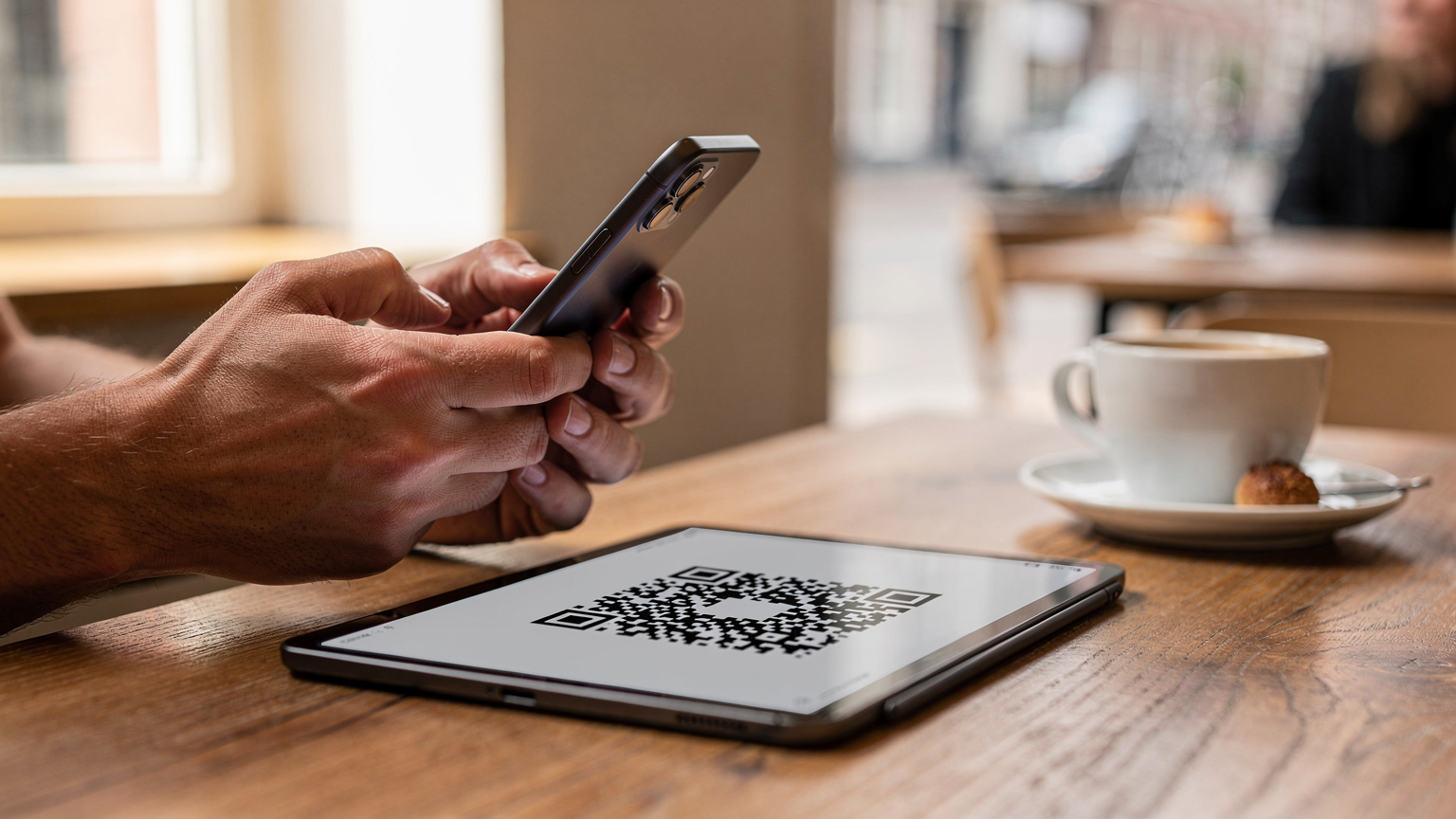
- E-mail with QR Code: Have the email containing your eSIM QR code or manual activation details readily accessible on another device (laptop, tablet, or a friend's phone) or printed out.
- Unlocked iPhone 17: Confirm your iPhone 17 is unlocked. Carrier-locked phones will not accept eSIMs from other providers. If you're unsure, contact your home carrier.
- iOS 18 Updated: While less critical for basic activation, ensuring your iPhone 17 is running the latest iOS 18 update can prevent minor compatibility glitches.
Using the QR Code Method (Recommended)
This is the simplest and most common method for eSIM activation. The iPhone 17's camera is designed to quickly scan the QR code and initiate the provisioning process.
- Open Settings: Tap the 'Settings' icon on your home screen.
- Navigate to Cellular: Tap on 'Cellular' (or 'Mobile Data' in some regions).
- Add eSIM: Tap 'Add eSIM'. You'll see options to 'Transfer from Nearby iPhone' or 'Use QR Code'. Choose 'Use QR Code'.
- Scan QR Code: Position your iPhone 17's camera over the QR code provided in your purchase email. The phone should recognize it instantly. (If not, ensure good lighting and steady hands.)
- Confirm & Activate: Follow the on-screen prompts. You'll likely be asked to confirm 'Add Cellular Plan'. Tap 'Continue' or 'Add Cellular Plan'.
- Label Your eSIM: Once added, you'll be prompted to label your new plan (e.g., 'Travel Data', 'UK eSIM'). This is important for easy identification later, especially if you manage multiple eSIMs.
- Set Default Line: You'll then be asked to choose your 'Default Line'. For most travelers, you'll want to keep your home number as the default for calls and messages, and set the new eSIM for 'Cellular Data Only'.
Manual eSIM Activation for Edge Cases
In rare circumstances, such as a damaged QR code image or an issue with your camera, you might need to activate your eSIM manually.
- Open Settings > Cellular > Add eSIM.
- Choose 'Enter Details Manually': Instead of scanning, select this option.
- Enter SM-DP+ Address, Activation Code, and Confirmation Code: Your eSIM provider will supply these. The SM-DP+ (Subscription Manager Data Preparation) address is essentially the server where your eSIM profile resides. Input these exactly as provided, paying close attention to case sensitivity and special characters.
- Follow Prompts: Continue through the setup, labeling your plan and setting data preferences as described in the QR code method.
If you encounter 'My eSIM Won't Activate in Bogotá?', or similar issues, double-check your manual entry. A single typo in the SM-DP+ address is enough to prevent activation. You can also refer to My eSIM Won't Activate in Bogotá? Quick Fixes for Colombia (2026) for more specific troubleshooting steps.
Optimizing Your iPhone 17's Network Settings for eSIM
Once your eSIM is activated, a few crucial settings adjustments ensure you get the best possible performance and avoid unexpected charges.
Data Roaming and APN Configuration
For your travel eSIM to function correctly, Data Roaming MUST be enabled for that specific cellular plan. Navigate to Settings > Cellular > [Your Travel eSIM Label] and toggle 'Data Roaming' ON. This is counter-intuitive for some, as you typically disable roaming on your home SIM to avoid charges, but for an international eSIM, it's how it connects to local partner networks. Failure to enable this is a common reason for 'no data' issues.
Next, the Access Point Name (APN) setting. While many eSIMs auto-configure this, some international providers, especially those offering regional plans, might require a manual entry. An APN defines the path your phone uses to connect to the internet. If it's incorrect, you'll see a full signal but no data. To check or set your APN:
- Go to Settings > Cellular > [Your Travel eSIM Label].
- Tap 'Cellular Data Network'.
- Locate 'APN' field: Enter the APN provided by your eSIM carrier. Common APNs are 'internet', 'data', or specific carrier names. If there are fields for 'Username' or 'Password', leave them blank unless explicitly instructed otherwise.
| Carrier Example | Typical APN | Notes |
|---|---|---|
| Vodafone UK | 'internet' | Often auto-configured, but check if no data. |
| Orange FR | 'orange' | Can vary by plan, confirm with provider. |
| Local MVNO (Europe) | 'data' or carrier-specific | More likely to require manual entry. |
Note that for iPhone 17 models, especially those operating on iOS 18, APN settings are usually more resilient to user error, but it's still a critical check for troubleshooting.
VoLTE and VoWiFi Gotchas
Voice over LTE (VoLTE) and Voice over Wi-Fi (VoWiFi) are essential for high-quality calls and extending coverage. For your travel eSIM, whether VoLTE/VoWiFi works depends on the local network and the specific roaming agreement. Many travel eSIMs are data-only, meaning they don't support voice calls or SMS directly. If they do, VoLTE support is key for making calls over 4G, as 3G networks are rapidly being decommissioned globally. Without VoLTE, your phone might drop to 2G/3G for calls, or not be able to make calls at all if those networks aren't available.
To check if VoLTE is enabled: Settings > Cellular > [Your Travel eSIM Label] > 'Voice & Data' > Ensure 'LTE' is selected and 'VoLTE' is toggled on if available. For VoWiFi, look under Settings > Cellular > Wi-Fi Calling for your eSIM. If these options are grayed out, it typically means the feature is not supported by the eSIM provider or the local roaming network.
It's worth remembering that even if your travel eSIM is data-only, you can still use VoIP apps like WhatsApp, Signal, or FaceTime for calls and messages, leveraging your data connection. This is an excellent strategy for keeping your WhatsApp number while abroad.
Understanding Carrier Aggregation and 5G Bands
The iPhone 17's modem is expected to support advanced carrier aggregation (CA) techniques, which combine multiple frequency bands to achieve higher speeds and better capacity. For instance, in a city like Berlin, your iPhone 17 might aggregate LTE bands B3 (1800 MHz) and B20 (800 MHz) with 5G non-standalone (NSA) on n78 (3.5 GHz) to deliver peak download speeds of 300-600 Mbps on Deutsche Telekom. Understanding which bands your eSIM provider's partner networks utilize can give you an edge in predicting performance.
When reviewing carrier coverage maps, pay attention to the specific 5G bands. Sub-6 GHz 5G (bands like n1, n3, n78) offers broader coverage and penetration, while mmWave 5G (n257, n258, n260) provides ultra-fast speeds but with very limited range, typically found only in dense urban hotspots or specific venues. Your iPhone 17 will automatically select the best available band, but knowing the underlying infrastructure helps manage expectations.
Troubleshooting Common eSIM Issues on iPhone 17
Even with the most meticulous setup, issues can arise. Knowing how to diagnose and fix common eSIM problems can save you considerable frustration while traveling.
No Service or No Data After Activation
This is the most frequent problem. First, check the basics:
- Is Data Roaming ON? Revisit Settings > Cellular > [Your Travel eSIM] > Data Roaming. This is the single biggest culprit.
- Is the eSIM Selected for Cellular Data? Go to Settings > Cellular > 'Cellular Data' and ensure your travel eSIM is selected.
- Is Airplane Mode OFF? A simple but often overlooked check.
- Restart Your iPhone: A full power cycle can resolve many temporary network registration issues.
- Check APN Settings: As discussed, ensure the APN is correctly entered for your specific eSIM.
- Network Selection: Sometimes, manual network selection is required. Go to Settings > Cellular > [Your Travel eSIM] > 'Network Selection' and toggle 'Automatic' off. Wait for available networks to populate, then try selecting one of the partner networks listed by your eSIM provider.
Slow Speeds or Intermittent Connectivity
If you have data but it's sluggish or drops frequently, consider these factors:
- Network Congestion: Are you in a very crowded area (e.g., a festival, a major stadium)? Network congestion can severely impact speeds, especially during peak hours.
- Coverage Issues: Check a coverage map for the local partner network. You might be in a fringe area, indoors, or in a location with poor signal penetration.
- Fair Usage Policy: Have you exceeded your high-speed data allowance? Your provider might have throttled your speeds. Check your provider's app or website for data usage.
- Data Prioritization: Your connection might be subject to lower priority if the local network is heavily utilized. Some carriers prioritize their direct subscribers over roaming or MVNO (Mobile Virtual Network Operator) traffic.
- CGNAT (Carrier-Grade NAT) / IPv6-Only: Many mobile networks, especially for prepaid and MVNO services, use CGNAT or are transitioning to IPv6-only. This typically won't prevent basic browsing, but it can affect certain applications that require direct incoming connections or specific VPN setups. If you're experiencing issues with specific apps or services, this might be a factor, though it's less common for general travel data.
eSIM Profile Download Failures
If your iPhone 17 fails to download the eSIM profile after scanning the QR code:
- Stable Wi-Fi: Reconfirm you have a strong, stable Wi-Fi connection. A weak or intermittent connection can interrupt the download.
- QR Code Validity: Ensure the QR code hasn't expired (some are time-limited, though less common for travel eSIMs) or isn't a single-use code that's already been scanned.
- Provider Issue: Contact your eSIM provider's support. There might be an issue on their end with the provisioning server.

Managing Multiple eSIMs and Data Prioritization
The iPhone 17's ability to store multiple eSIM profiles and potentially use two actively (home SIM + travel eSIM) is a powerful feature, but it requires careful management to avoid confusion and unwanted charges.
Labeling and Identifying Your Plans
During activation, you're prompted to label your eSIMs. Use descriptive names like 'Home (US T-Mobile)', 'Spain Travel', or 'EU Data'. This clarity is crucial when you navigate your cellular settings. You can always rename them later via Settings > Cellular > [Tap on the plan] > 'Cellular Plan Label'.
| Setting | Purpose | Recommended for Travel eSIM |
|---|---|---|
| Cellular Data | Which plan provides internet access. | Set to your Travel eSIM. |
| Default Voice Line | Which plan makes outgoing calls. | Keep as your Home SIM (if active) for calls/SMS. |
| iMessage & FaceTime | Which line is used for these services. | Keep as your Home SIM to avoid changing your number. |
| Allow Cellular Data Switching | Allows the phone to use the other line for data if primary has no signal. | OFF (to prevent accidental home carrier roaming). |
Controlling Data Usage and Preventing Bill Shock
The most critical setting is 'Cellular Data'. Go to Settings > Cellular > 'Cellular Data' and ensure your travel eSIM is selected. Also, critically, go to your home SIM's settings (Settings > Cellular > [Your Home SIM Label]) and turn OFF 'Data Roaming' and ensure 'Low Data Mode' is enabled, if you wish to prevent any accidental roaming charges. If 'Allow Cellular Data Switching' is on, your iPhone might automatically switch to your home SIM for data if your travel eSIM loses signal, potentially incurring significant roaming fees. For most travelers, it's best to keep this setting off.
For those interested in how these data strategies compare, a deep dive into UK Travel: eSIM vs. Local SIM, Smart Savings for Your 2026 Trip provides concrete examples of cost differences.
The Evolution of eSIM and the iPhone 17's Capabilities
The journey from physical SIM cards to embedded eSIMs has been a gradual, yet inevitable, technological progression. The iPhone 17 is poised to be a significant milestone in this evolution, showcasing what a fully integrated, software-defined cellular experience can offer.
Technological Leaps in eSIM Adoption
Early eSIM implementations were often clunky, requiring specific carrier apps or complex manual configurations. Today, with iOS 18, the process is largely automated, leveraging QR codes and intuitive prompts. This ease of use has been critical in driving wider adoption. From a network engineering standpoint, this shift has also pushed carriers to modernize their provisioning systems, making it simpler for third-party eSIM providers to integrate and offer services.
The iPhone 17's expected advancements in modem technology, possibly featuring a next-generation Qualcomm Snapdragon X80 or an equivalent in-house Apple silicon, will further enhance eSIM performance. This means improved power efficiency, better signal aggregation, and support for emerging cellular standards. Faster processing of cryptographic operations within the secure enclave will also make eSIM profile management even more seamless and secure.
Future-Proofing Your Travel Connectivity with iPhone 17
The iPhone 17's eSIM capabilities are not just about current convenience; they're about future-proofing. As 5G standalone (SA) networks become more prevalent globally, the flexibility of eSIM will be paramount. SA networks, built entirely on 5G infrastructure, offer ultra-low latency and advanced network slicing capabilities. Your iPhone 17, with its advanced modem and eSIM, will be ready to take advantage of these features, whether you're experiencing lightning-fast downloads in a smart city or relying on robust, low-latency connectivity for mission-critical applications.
Furthermore, the ability to rapidly provision new profiles means your iPhone 17 will be adaptable to emerging regional carriers or specialized IoT (Internet of Things) networks that might not exist today. This adaptability ensures that your device remains a valuable tool for global connectivity for years to come, offering a clear advantage over older devices that rely solely on physical SIMs, as highlighted in Old Phone, New Trick: Activating eSIM on Your Budget Android in 2026 for non-iPhone users.
Comparing Travel Data Options: eSIM vs. Local SIM vs. Roaming
For any international trip, deciding on your data strategy is crucial. Let's break down the options available in 2026, especially for an iPhone 17 user.
| Feature | Travel eSIM (iPhone 17) | Local Physical SIM | Traditional Roaming |
|---|---|---|---|
| Activation Process | Instant digital activation via QR code or manual entry. | Requires finding local store, physical purchase, ID verification (often). | Automatic activation with home carrier, no setup required. |
| Cost Efficiency | Highly cost-effective, often cheaper than local SIMs for short trips, significantly cheaper than roaming. | Can be cheaper than eSIM for longer stays, but initial setup time and effort. | Most expensive option, high per-MB rates or costly daily passes. |
| Convenience | Extremely high: activate before/upon arrival, no physical card. | Low: requires physical interaction in-country. | High (no setup), but often with cost or speed penalties. |
| Dual SIM Support | Excellent: keeps home number active for calls/SMS while using eSIM for data. | Requires a phone with dual physical SIM slots or swapping SIMs. | Uses primary SIM, no dual SIM benefit unless phone has a second physical slot. |
| Network Access | Access to local partner networks, often Tier 1, with good speeds. | Direct access to a single local network, potentially best speeds. | Access to roaming partner networks, often deprioritized. |
| Data Speeds | Typically good, often 4G LTE (30-150 Mbps) and 5G (100-500 Mbps), depending on network and congestion. | Potentially highest speeds, as you're a direct subscriber. | Can be throttled or deprioritized, leading to inconsistent speeds. |
Why eSIM is Often the Optimal Choice
For the average traveler with an iPhone 17, an eSIM strikes the best balance of cost, convenience, and performance. You can arrange your data plan days before your flight, activate it upon landing, and avoid the hassle of finding a local SIM card vendor, especially after a long flight. This is particularly valuable in countries where SIM registration can be a bureaucratic nightmare, requiring passports and lengthy forms.
Furthermore, the ability to manage multiple profiles directly from your iPhone 17's settings means you can seamlessly switch between plans, perhaps a regional plan for a multi-country tour through Europe and then a specific plan for a week in Japan. This flexibility is simply unmatched by traditional physical SIMs or expensive roaming packages. For a comprehensive overview of global data costs, check out Mobile Data Costs by Region 2026: The Cheapest & Most Expensive Countries for Backpackers.
Maximizing Your Travel Connectivity Beyond Data
While data connectivity is paramount, a true telecom engineer knows that a holistic approach to travel connectivity involves more than just a working eSIM. It's about optimizing your entire mobile experience.
Utilizing Wi-Fi Calling and Messaging Apps
As mentioned, if your travel eSIM is data-only or has limited voice support, rely heavily on Wi-Fi Calling for your home number (if supported by your home carrier) and VoIP apps like WhatsApp, Signal, or Telegram for all communications. These apps leverage your data connection, whether from your eSIM or local Wi-Fi, allowing you to stay in touch without incurring traditional voice/SMS charges. Most iPhones will automatically prioritize Wi-Fi Calling when available, seamlessly transitioning your standard calls over a Wi-Fi network.
Ensure these apps are properly configured before you leave home. Test a Wi-Fi call or message to a friend to confirm functionality. This redundancy ensures you're never truly out of touch, even if your cellular signal falters in a remote village or a subway system.
Portable Chargers and Battery Management
An active eSIM, especially when paired with a new iPhone 17 leveraging advanced 5G capabilities, can still consume significant battery power. Actively searching for and connecting to unfamiliar networks, performing carrier aggregation, and maintaining multiple active profiles (if using DSDS/DSEA) all contribute to battery drain. Always carry a high-capacity portable charger, ideally one with Power Delivery (PD) for faster charging. Additionally, optimize your iPhone 17's battery settings:
- Enable Low Power Mode: Reduces background app refresh and visual effects.
- Limit Background App Refresh: Settings > General > Background App Refresh.
- Optimize Location Services: Set apps to 'While Using the App' where possible.
- Manage Screen Brightness: Lower it or enable Auto-Brightness.
These simple steps can significantly extend your iPhone 17's battery life, ensuring your vital navigation, translation, and communication tools remain available throughout your day of exploring.
Physical Security and Data Backup
Finally, remember the importance of physical security for your iPhone 17. A lost or stolen phone isn't just an inconvenience, it's a loss of your primary connection. Use a strong passcode, enable Face ID, and ensure 'Find My' is activated. Regularly back up your iPhone to iCloud or a computer, especially before a long trip. This safeguards your data, photos, and settings, providing peace of mind no matter where your 2026 travels take you.
Frequently Asked Questions
Can I use my iPhone 17's eSIM in any country?
Yes, your iPhone 17's eSIM can be used globally, provided you purchase an eSIM plan for your specific destination. Most major countries and regions are supported by various travel eSIM providers, offering access to local partner networks like Orange in France or NTT DoCoMo in Japan.
Will an eSIM affect my home phone number?
No, using a travel eSIM on your iPhone 17 will not affect your home phone number. You can configure your iPhone to use your home SIM for calls and SMS while designating the travel eSIM for cellular data, maintaining your primary contact info.
What if my iPhone 17 is carrier-locked?
If your iPhone 17 is carrier-locked, it will not accept an eSIM from a different provider. You must contact your home carrier to unlock your device before attempting to activate a travel eSIM. This is a crucial step to ensure compatibility.
Do travel eSIMs support 5G speeds on the iPhone 17?
Many travel eSIMs now support 5G speeds, depending on the local network infrastructure and the specific plan you purchase. Your iPhone 17, with its advanced modem, will automatically connect to the fastest available network (LTE B7, 5G n78, etc.) if the eSIM plan and local carrier support it.
How do I check my data usage on a travel eSIM?
Data usage for your travel eSIM is typically tracked through your eSIM provider's app or website. While iOS 18's Cellular settings show cumulative data use, the most accurate real-time tracking will come directly from your eSIM provider, allowing you to monitor your remaining allowance.
Is it safe to activate an eSIM over public Wi-Fi?
Activating an eSIM over public Wi-Fi is generally safe, as the provisioning process involves encrypted communication between your iPhone 17's secure enclave and the carrier's SM-DP+ server. However, always ensure you're downloading profiles from reputable eSIM providers.